 Image Studio
Halloween
photo editor.
Explore full Halloween scenes: a witch gathering a pumpkin moon, a midnight cinema with an original unicorn, and a friendly ghost-catching crew. These are AI concepts; portrait creation is still being prepared.
A complete witch outfit on a castle rooftop, gathering a glowing pumpkin moon.
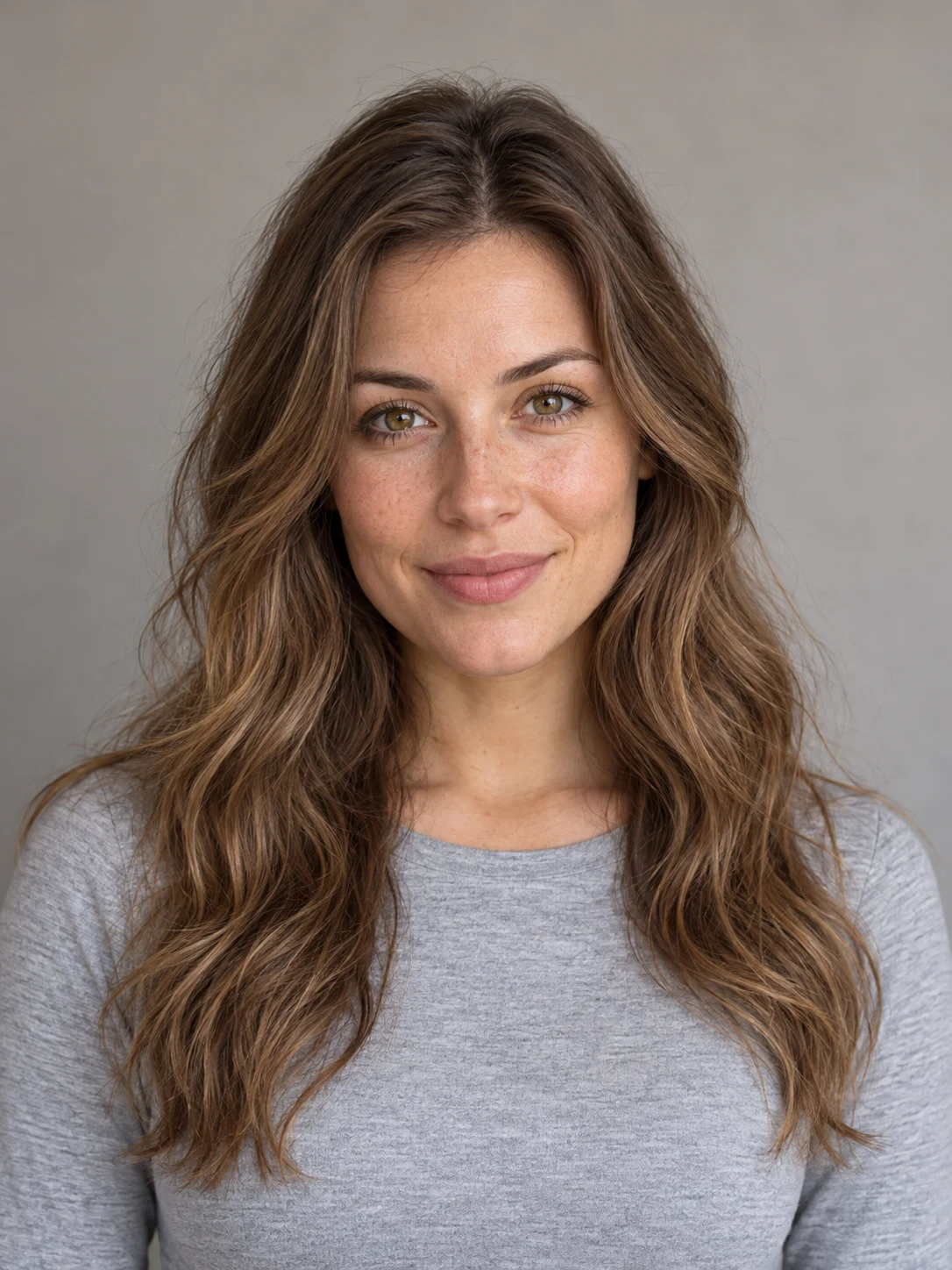
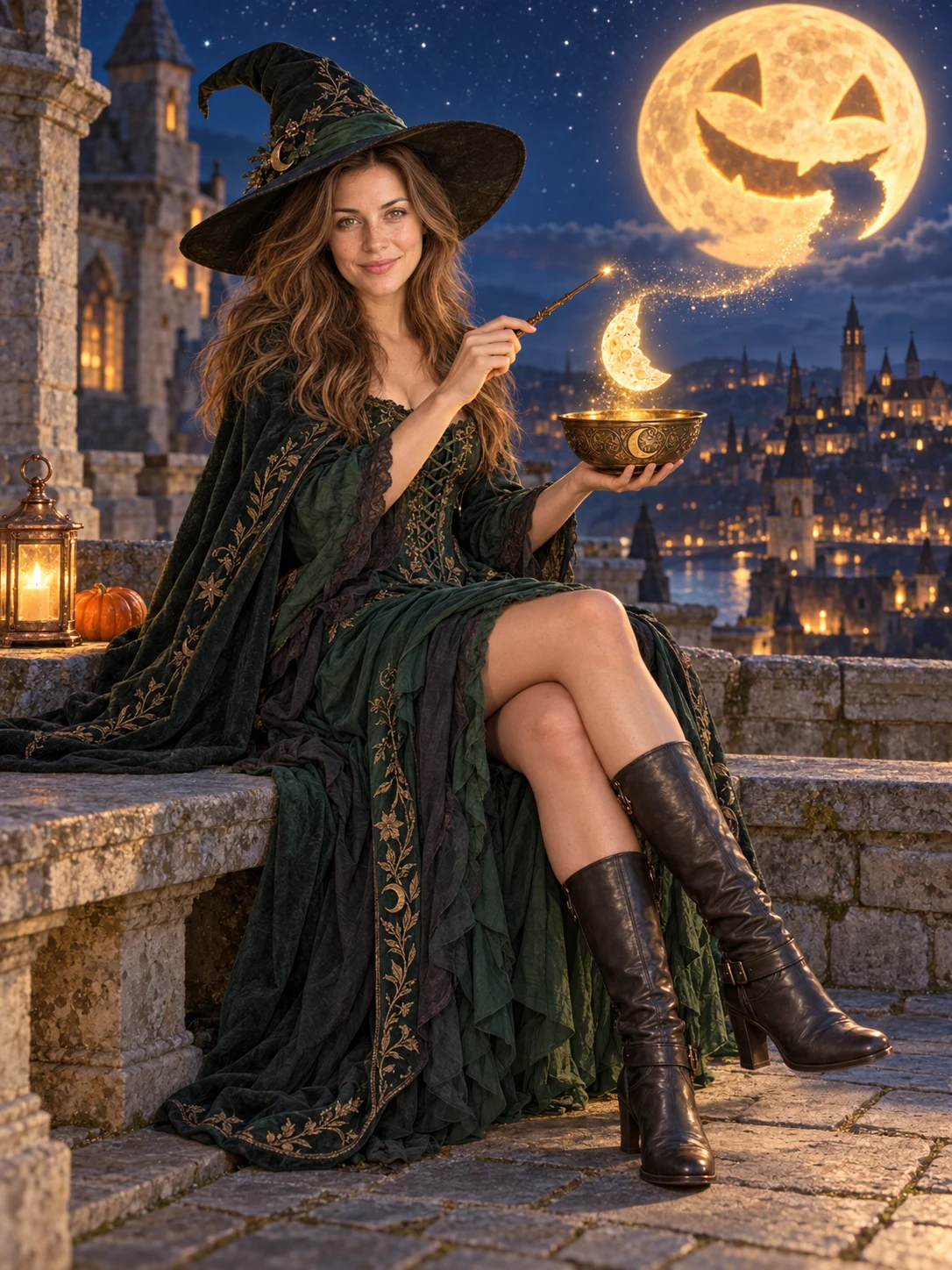
Fictional characters · built-in AI concept edit, not a customer result or verified portrait-service output.
Preview your next scene.
Three scene concepts, each using one photo.
Choose a solo or existing group photo for your template.
Choose your look
3 scene conceptsA complete witch outfit on a castle rooftop, gathering a glowing pumpkin moon.
Choose your photo
Use a clear, well-lit photo of one consenting adult. The unicorn is an original scene companion, so no animal reference photo is needed.
Make it yours
Your selected photo stays in this browser. Uploads, portrait creation and purchases are not available in this preview.
Limited free generation is being prepared: up to 3 attempts in total per signed-in account, with 10 shared across the site per UTC day. The account allowance will not reset daily.
Find your Halloween photo style.
Pick a character.
Three full-scene directions, with costumes, settings and a shared adventure.
Bring yourself.
Use one clear adult photo for the witch or unicorn concept, or one existing group photo for the ghost-catching crew. No multi-photo merging.
See another side.
Portrait creation and downloads will be available later. For now, explore examples and try signing in.
Halloween photo editor FAQ
What you can try, which photos to choose, and what happens to your image.
Can I create a Halloween portrait right now?
Portrait creation is not available in this preview. You can browse the examples, choose a style, preview a photo on your device, and try signing in. Uploads, AI generation, purchases and portrait downloads are not enabled.
How does the Halloween photo editor work?
Explore Witch Moon Magic for a full witch costume and castle-rooftop scene, Midnight Unicorn Cinema for a movie outing with an original fluffy companion, and Friendly Ghost Crew for a coordinated group adventure. These are scene concepts awaiting portrait-service testing.
Your selected photo appears as a browser-only preview. Choosing a style does not apply it to your photo yet; the example portraits show the styling direction.
What kind of photo should I choose?
Use a sharp, well-lit photo of consenting adults with clearly visible faces. The witch and unicorn concepts use one adult photo. The group concept uses one existing group photo; it does not combine separate portraits.
A clear, unobstructed small group is recommended. The group example contains three fictional adults; preservation of everyone in larger groups has not been verified. New scene concepts need real service testing before their results can be promised.
Which image formats and sizes can I use?
Choose a still JPEG, PNG or WebP up to 10 MB. The image must be at least 256 pixels on each side and no more than 40 megapixels. If a photo cannot be read, export it as one of these formats and choose it again.
Can I use this on my phone?
Yes. The preview uses a responsive layout, and you can choose a still JPEG, PNG or WebP from your phone. HEIC and HEIF files are not accepted; export or convert your photo to a supported format before choosing it. The same size and dimension limits apply on mobile.
Will the portrait still look like me?
The templates are intended to keep people recognizable while changing outfits, setting and scene. AI can change faces, details or the number and placement of people; likeness and preservation of every group member are not guaranteed. The examples are not a promise of how your photo will turn out.
Are the example portraits real customer results?
No. Each pair shows an AI-generated fictional original and an AI concept edit made with a built-in image tool. The original characters and the scene changes are real illustrations, but these are not customer transformations or verified outputs from this website’s portrait service. The group example starts from one fictional group photo.
What happens to the photo I select?
In this public preview, your selected photo stays in browser memory. It is not uploaded or sent to an AI service and is not saved in browser local storage. Signing in processes account information separately from your photo.
Read the Privacy Policy for the current handling of photos, account information and cookies.
Is it free, and do I need to sign in?
Browsing styles and trying a photo in the browser preview are free, with no account required. Free generation is being prepared, with up to 3 total attempts per signed-in account and a shared site-wide limit of 10 attempts per UTC day. The account allowance does not reset daily. Choosing a photo and browsing do not use an attempt. Signing in does not currently enable portrait creation. Once generation opens, an attempt will count immediately before creation is submitted; later failures and uncertain outcomes can still count. Rejected input or a confirmed failure before creation will release the temporary reservation. Purchases are not available yet. One-time account credit packs are planned, with pack prices and the cost per portrait to be shown before checkout opens.
See Pricing for the planned purchase flow.
One studio. More worlds to come.
Halloween is our first collection. New themes will share the same simple creative tools.